MCP connector
REMO in your AI
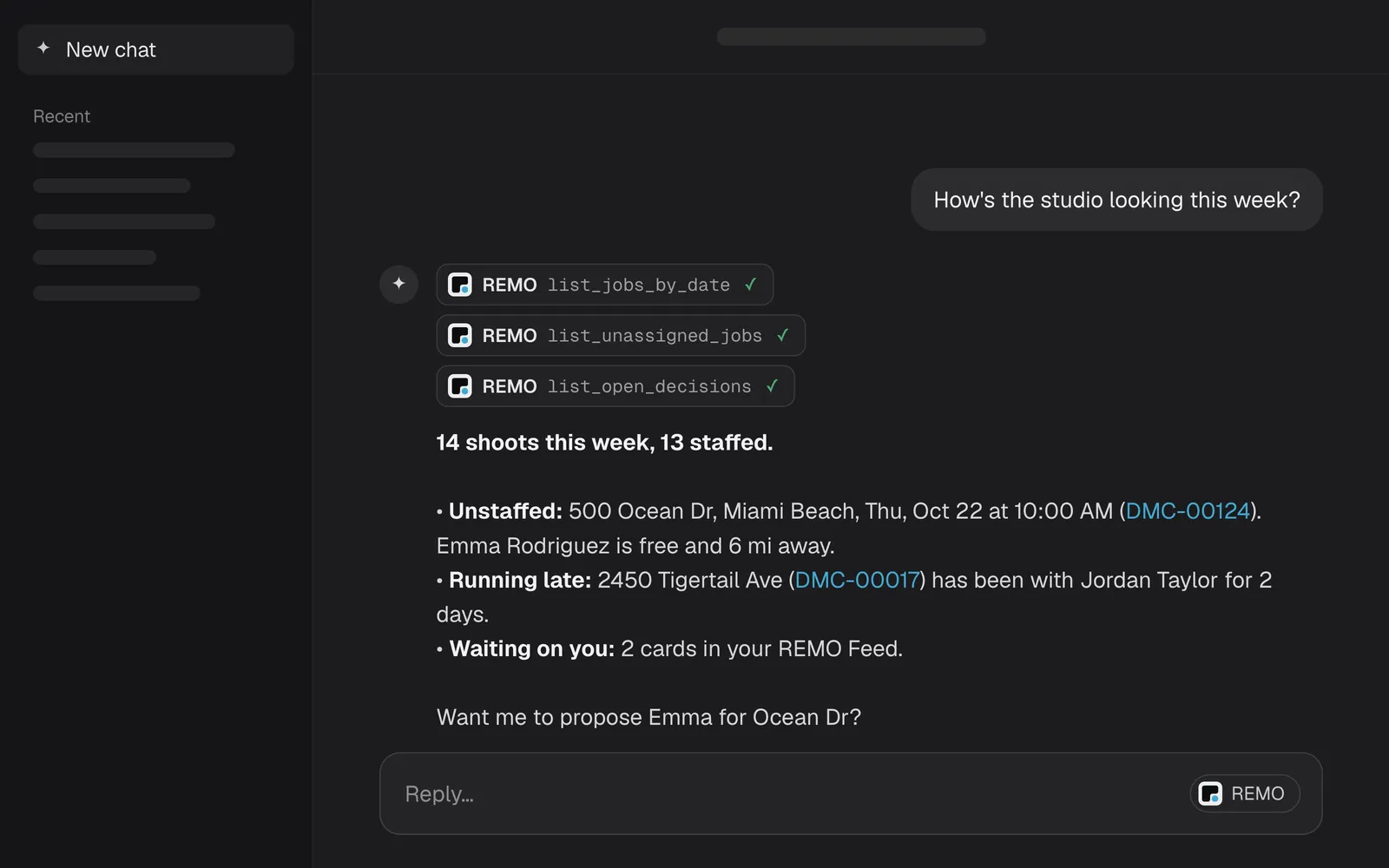
Ask Claude, ChatGPT or your own agent about your studio. It answers from live REMO data, and anything it wants to change waits for your approval.
https://mcp.remo-app.com/mcpAlready on REMO? Paste the URL into your assistant. New to REMO? Request access.
New to MCP?
Your assistant, plugged into your studio.
MCP (Model Context Protocol) is the standard way AI assistants connect to other software. Add REMO once, and the assistant you already use can check your schedule, your crew and your numbers, and draft changes for you to approve.
Things to ask it:
- “Who's free Thursday afternoon?”
- “Which edits are running late?”
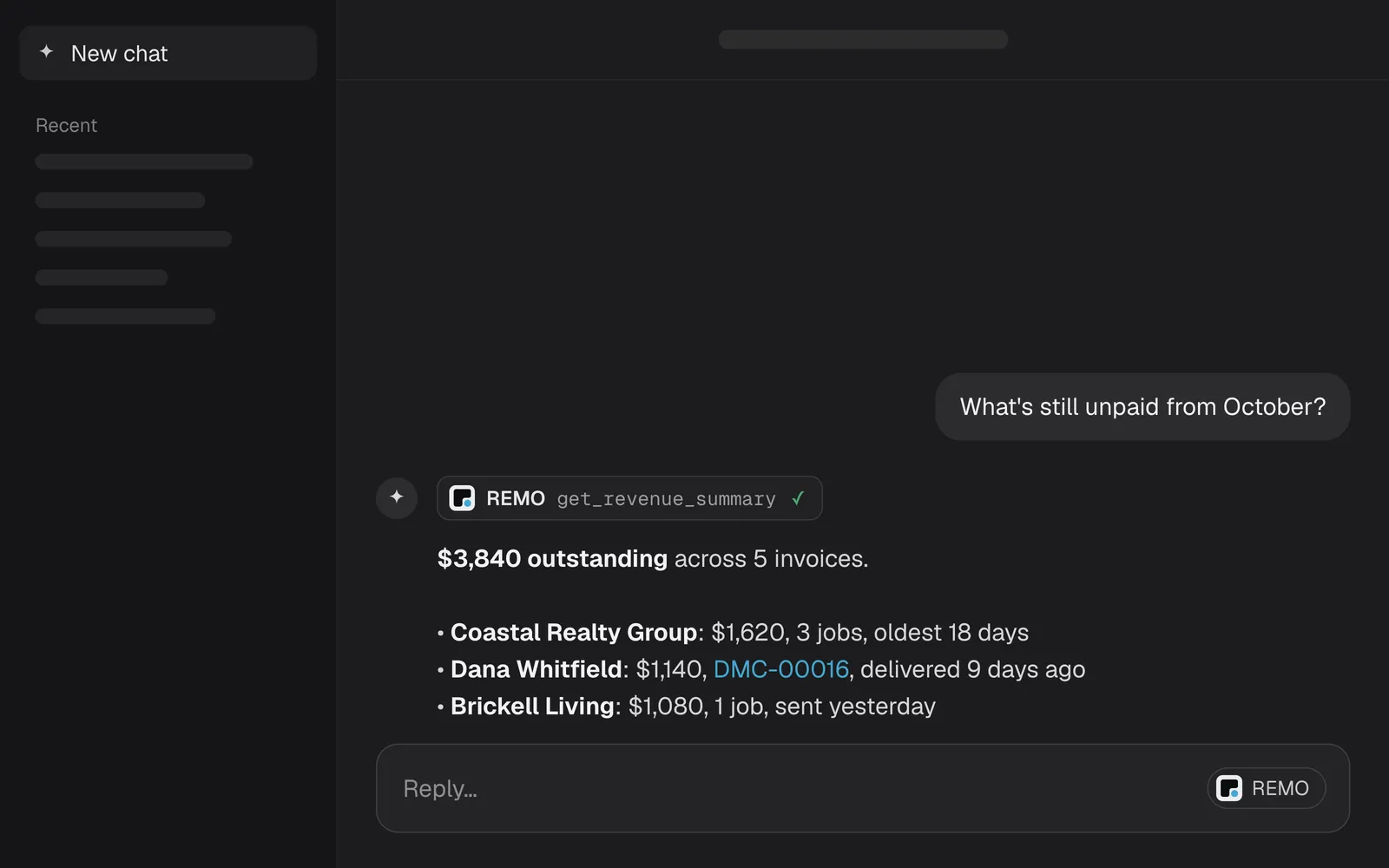
- “What's still unpaid from last month?”
- “Move the Brickell shoot to Friday at 2.”
- “Set up our services and prices from this price sheet.”
- “Import our client list.”
What it does
Ask anything. Change nothing without you.
Ask in plain words
Your assistant looks things up in REMO the way you would: the schedule, who is free, what is stuck, what is owed. Answers come from your live studio, not a spreadsheet export.
It proposes. You decide.
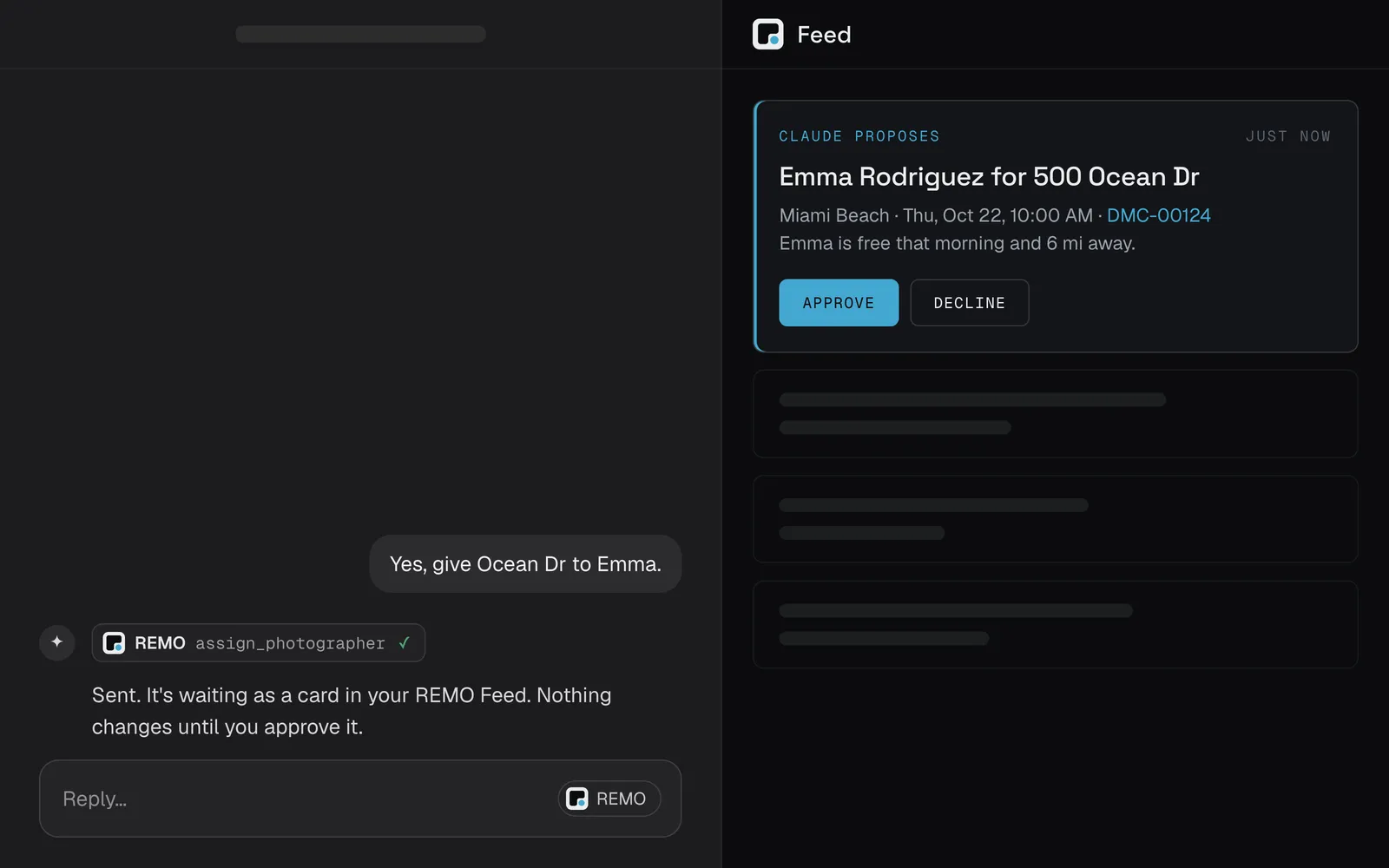
When your assistant wants to change something, like assigning a photographer or moving a shoot, REMO turns it into a card in your Feed. Nothing changes until you approve it.
You choose what it may do
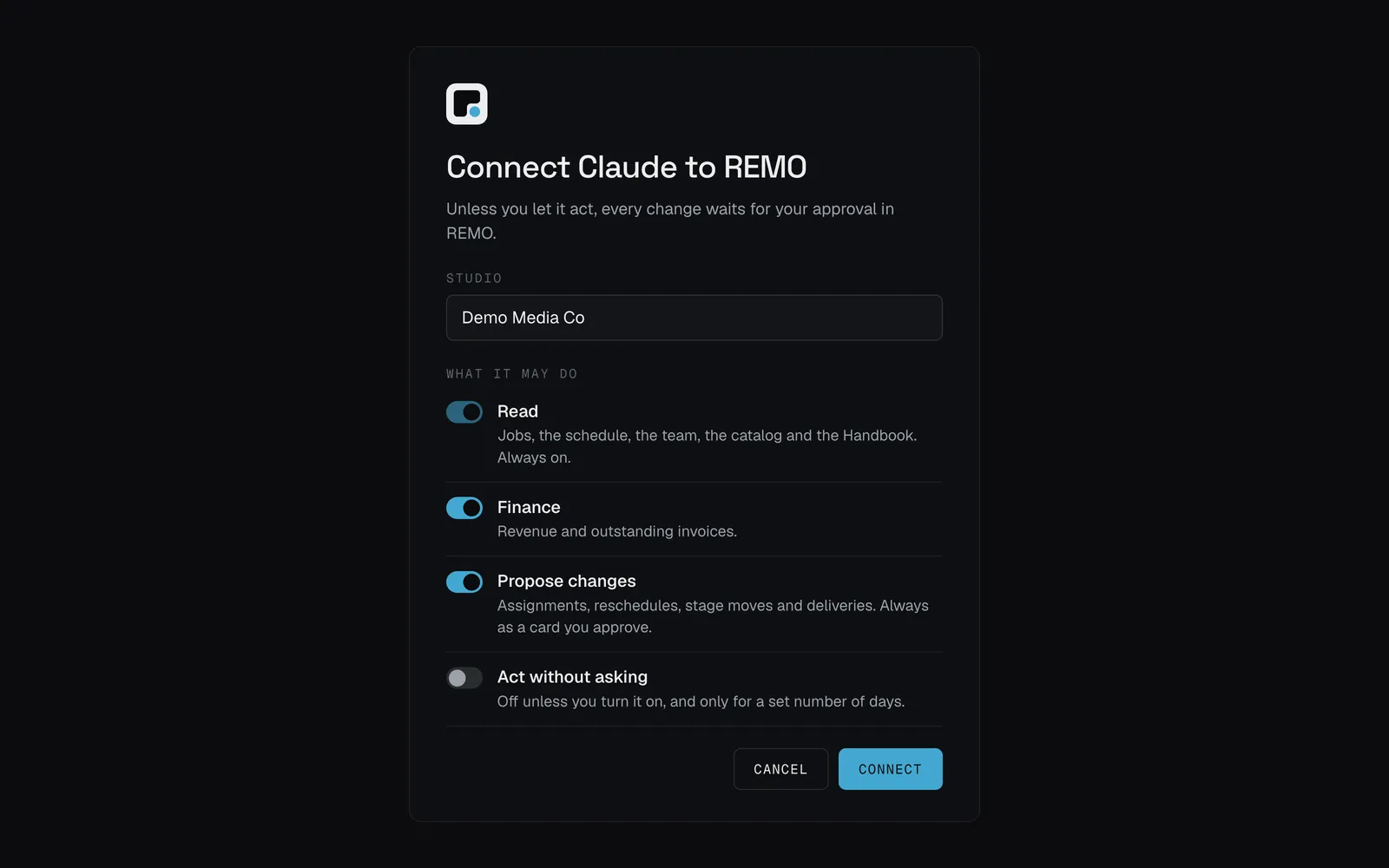
When you connect, REMO asks what the assistant may do: read, see finances, propose changes, or act without asking for a set number of days. Change it or revoke it any time.
Setup
Connect in three steps
From a chat app such as Claude or ChatGPT. No key needed. Only a studio’s owner or an admin can connect.
- 01In your assistant, add a custom connector and paste
https://mcp.remo-app.com/mcp - 02REMO opens in your browser. Sign in if it asks.
- 03Pick your studio and what the assistant may do, then press Connect.
Your assistant now lists REMO’s tools. If it stops working right after you connect, connect again.
From a developer tool
Developer tools use a key. In REMO, open Manage agents, press Connect an agent, choose A developer tool, and pick its permissions. REMO shows the key once.
Claude Code
claude mcp add --transport http remo https://mcp.remo-app.com/mcp \
  --header "Authorization: Bearer <your key>"
Or in .mcp.json, with the key in an environment variable
{
  "mcpServers": {
    "remo": {
      "type": "http",
      "url": "https://mcp.remo-app.com/mcp",
      "headers": { "Authorization": "Bearer ${REMO_MCP_KEY}" }
    }
  }
}
On the Claude API, add an mcp_servers entry with authorization_token set to the key. Full setup in the docs.
Control
What an assistant can do
- Read
- Jobs, the pipeline, the schedule, who is free, the team, the catalog and the Handbook. Always on.
- Finance
- Revenue and outstanding invoices.
- Propose changes
- Assign or swap a photographer, move a shoot, move a job's stage, assign an editor, deliver a job, or a list of Handbook changes. Each one is a card you approve.
- Act without asking
- Off unless you turn it on, and only for a set number of days (seven by default). Changes show in the Feed under the assistant’s name, and setup changes can be undone from the Handbook’s history.
Always true:
- Delivering a job is always a card, even when the assistant may act.
- It can’t message your crew.
- Revoke a connection from Manage agents and it stops on its next call.
- A connection ends on its own after 60 days unused, or when the person who made it leaves the studio.
- Each connection gets 120 calls an hour unless you change it.
Bring your AI to REMO.
Questions? [email protected]